


Mobile gaming feels different on a bigger screen. A keyboard and mouse give you sharper aim, faster reflexes, and none of the thumb cramps that come from long sessions on a phone. That is exactly why Android emulators exist. They let you install your favorite mobile apps and games on a Windows or Mac computer, so you get the same library with better controls and a display that actually does the graphics justice.
Picking the right one is not as simple as downloading the first result you see. Some emulators are built for heavy gaming, others lean toward light multitasking, and a few are tuned for one specific title. Your PC's hardware, your favorite games, and how many accounts you juggle all shape which tool fits best.
This guide breaks down five of the most widely used Android emulators for PCs. Each one is evaluated for performance, features, pricing, and real trade-offs, so you can match a tool to your setup rather than guessing. Now let us look into the top 5 Android emulators for PC gaming.
BlueStacks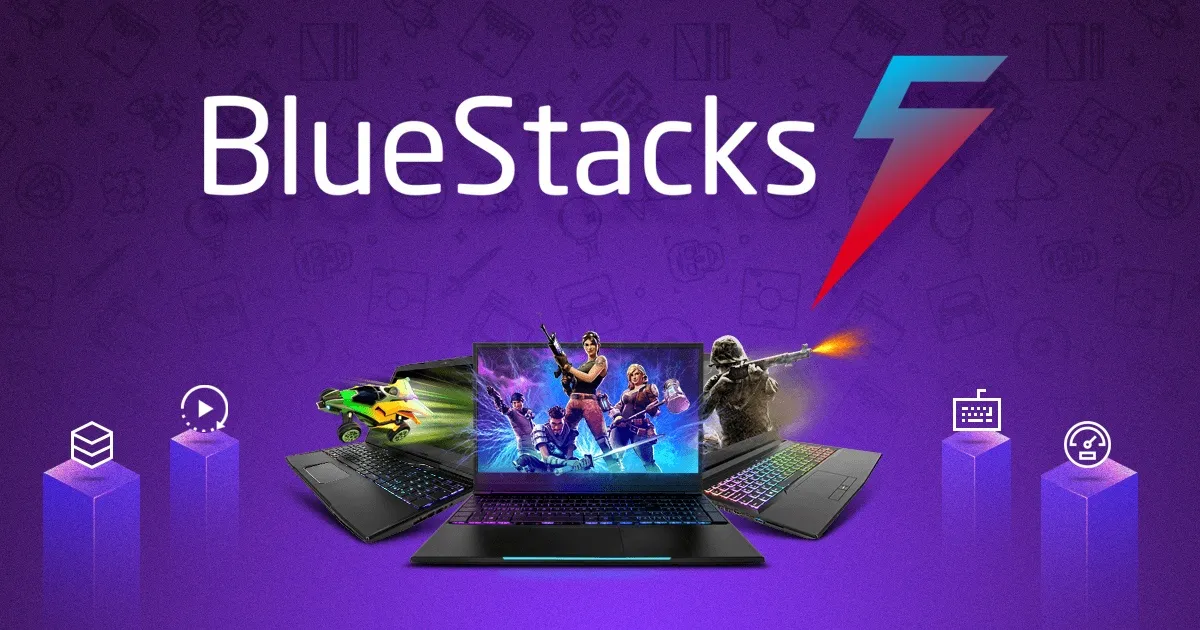
BlueStacks is one of the oldest and most recognized names in Android emulation, and it still updates frequently. It runs on both Windows and Mac, including Apple Silicon chips through its dedicated BlueStacks Air build. It works well for casual users, competitive mobile gamers, and app testers who want a setup that runs with almost no manual configuration.
Key Features
-
Multi-instance support, so multiple accounts or games run side by side
-
Custom keymapping with pre-built control layouts for popular titles
-
Eco Mode, which reduces resource use when several instances are open
-
BlueStacks’ current listings and reviews describe support for Android 11 and Android 13 on PC, and BlueStacks Air for Mac is built for Apple Silicon Macs
-
Built-in macro recording, screenshot, and screen recording tools
-
Google Play Store access for downloading apps directly inside the emulator
Pros and Cons
Pros
-
Fast installation with minimal setup steps
-
Wide compatibility across older and newer Android versions
-
Frequent updates and active support documentation
-
Strong performance on mid-range hardware
Cons
-
Can consume more RAM than lighter alternatives when running multiple instances
-
Some users report ads within the free version
-
Mac support is limited to Apple Silicon through the separate BlueStacks Air build
Pricing
BlueStacks is free to download and use, with core features available at no cost. A paid tier, BlueStacks Prime, removes ads and adds extra perks for a monthly subscription fee.
For most casual users, the free version covers everything needed. Gamers who want an ad-free experience may find the subscription worth the small monthly cost.
How the Fileion Team Analyzed and Picked This Tool
The Fileion team evaluated BlueStacks based on setup speed, hardware flexibility, feature depth, and how well it holds up across different Android game genres.
LDPlayer
LDPlayer is built specifically with gaming performance in mind, and it runs on a lightweight engine designed to keep resource usage low. It is a strong fit for players who run multiple game instances at once or who want fine control over CPU and RAM allocation.
Key Features
-
Adjustable CPU, RAM, and resolution settings per instance
-
Multi-instance synchronizer, which mirrors actions across several windows at once
-
Macro and script support for repetitive in-game tasks
-
Smart Control system for translating mouse and keyboard input into touch commands
-
Support for game controllers alongside keyboard and mouse
-
LDPlayer 9 is described by Android Authority as running Android 9, with no macOS support
Pros and Cons
Pros
-
Lightweight design that runs well on lower-end PCs
-
Deep customization for CPU, RAM, and display settings
-
Multi-instance synchronizer is genuinely useful for gacha-style games
-
Free with no forced purchases for core functionality
Cons
-
Higher-end features, like running the latest engine smoothly, need stronger hardware
-
Interface can feel less polished than some competitors
-
Occasional compatibility hiccups with less common apps
Pricing
LDPlayer is free to use on Windows PCs. An optional LD Premium membership adds extra perks for paying users, but none of the core emulator functions sit behind a paywall.
How the Fileion Team Analyzed and Picked This Tool
The Fileion team assessed LDPlayer on resource efficiency, multi-instance handling, and customization depth, all of which matter most to gamers running several sessions simultaneously.
NoxPlayer
NoxPlayer, developed by BigNox, is a long-standing option that works on both Windows and Mac. It is aimed at gamers and testers who want a fully-featured free emulator without hidden restrictions on the free tier.
Key Features
-
Multi-instance manager for running several apps or games together
-
Script and macro recording for repetitive actions
-
Gamepad support alongside keyboard and mouse input
-
Virtual location function, useful for GPS-based apps and games
-
Built-in screen recording
-
Support for multiple Android versions within a single install, including a newer beta build
Pros and Cons
Pros
-
Fully-featured free version with no locked functionality
-
Broad Android version support in a single package
-
Works on both Windows and macOS
-
Virtual location tools add value for GPS-dependent apps
Cons
-
Not currently compatible with Apple Silicon Macs
-
Heavier system requirements than some lighter alternatives
-
Interface updates can feel infrequent compared to competitors
Pricing
NoxPlayer is completely free, and its developer has stated the free tier carries no functional limitations. There is no separate paid tier for individual users.
How the Fileion Team Analyzed and Picked This Tool
The Fileion team looked at NoxPlayer's cross-platform reach, free feature completeness, and its handling of GPS-based and location-sensitive apps during evaluation.
MEmu
MEmu, developed by Microvirt, focuses on flexible customization and stable multi-instance performance. It suits users who want granular control over emulator settings and enjoy running several Android environments in parallel.
Key Features
-
Flexible customization for CPU count, memory size, resolution, and device model
-
One-click Android system creation, cloning, and deletion
-
Sensor data pass-through, useful for racing and motion-based games
-
Keyboard and joystick mapping for touch controls
-
MEmu Play’s latest version runs Android 9, and Android Authority says it also supports Android 7.1 and Android 5 out of the box
-
Command-line scripting for advanced automation
Pros and Cons
Pros
-
Strong customization options for advanced users
-
Efficient resource use, even with multiple instances running
-
One-click system management simplifies switching between setups
-
Free core version with no forced ads to use it
Cons
-
Windows-only, with no native macOS version
-
Advanced features like ad removal and skins require a paid subscription
-
Less brand recognition than some competitors, despite solid performance
Pricing
MEmu is free to download and use for its core features. Optional add-ons, including ad removal and skin customization, are available through a paid subscription for users who want extra polish.
How the Fileion Team Analyzed and Picked This Tool
The Fileion team reviewed MEmu based on customization depth, multi-instance efficiency, and how well it performs on mid-range hardware without heavy tuning.
GameLoop
GameLoop is Tencent's official Android emulator, originally built around PUBG Mobile before expanding to support a wider game library. It is best suited to players who prioritize specific competitive titles like PUBG Mobile and Call of Duty Mobile over general Android app use.
Key Features
-
Self-developed AOW engine, tuned specifically for supported titles
-
Tencent Protect anti-cheat system built into the emulator
-
Smart key-mapping for precise competitive controls
-
Multi-instance manager for running several game accounts
-
Screen recording and streaming tools built in
-
No virtualization technology required to start the emulator
Pros and Cons
Pros
-
Deep optimization for its supported flagship titles
-
Built-in anti-cheat system adds legitimacy for competitive play
-
No virtualization setup needed to launch
-
Free to use with no subscription requirement
Cons
-
Narrower general app support compared to other emulators on this list
-
Some users report crashes and lag on less powerful systems
-
Requires a constant internet connection to open
Pricing
GameLoop is entirely free. Tencent funds the platform, and there is no premium tier or subscription for individual users.
How the Fileion Team Analyzed and Picked This Tool
The Fileion team evaluated GameLoop on its game-specific performance, anti-cheat integration, and suitability for players focused on a small number of competitive titles rather than broad app compatibility.
Comparison Table
|
Software |
Best For |
Platform |
Price |
Fileion Rating |
|
BlueStacks |
General gaming and app testing |
Windows / macOS |
Free, Prime subscription optional |
4.7/5 |
|
LDPlayer |
Multi-instance gaming on lighter hardware |
Windows |
Free, Premium optional |
4.4/5 |
|
NoxPlayer |
Full-featured free use, GPS-based apps |
Windows / macOS |
Free |
4.6/5 |
|
MEmu |
Deep customization, multi-instance control |
Windows |
Free, paid add-ons optional |
4.5/5 |
|
GameLoop |
PUBG Mobile and Call of Duty Mobile |
Windows |
Free |
4.5/5 |
Final Verdict
There is no single best emulator for everyone. The right pick depends on what you actually plan to do with it.
If you want an all-around emulator with wide app support and minimal setup, BlueStacks remains a dependable choice.
If your PC is on the lighter side and you run multiple instances for gacha or strategy games, LDPlayer's low resource footprint and synchronizer tool stand out.
NoxPlayer works well if you want every feature unlocked for free, especially for GPS-dependent apps. MEmu suits users who like fine-tuning their setup and running several Android environments at once.
GameLoop is the clear choice if PUBG Mobile or Call of Duty Mobile are your main focus, but it is not the tool to reach for if you need broad app compatibility.
Try the one that matches your hardware and your game library first. Most of these emulators are free, so testing two or three before settling on one costs nothing but a little time.
FAQs
What is the best free Android emulator for PC?
BlueStacks and NoxPlayer are both strong free options, with NoxPlayer offering its full feature set at no cost and BlueStacks providing broader game support.
Is LDPlayer better than BlueStacks?
LDPlayer tends to run lighter on hardware and handles multiple instances more efficiently, while BlueStacks offers wider app compatibility and a more polished interface. The better choice depends on your PC's specs and whether you prioritize multitasking or general use.
Which emulator is best for PUBG Mobile?
GameLoop is built specifically around PUBG Mobile and Call of Duty Mobile, with an engine tuned for those titles and a dedicated anti-cheat system.
What should I look for in an Android emulator?
Check your PC's RAM, CPU, and storage against the emulator's requirements first. Beyond that, look at multi-instance support, keymapping quality, and whether the free tier covers what you actually need.
Do Android emulators work on Macs?
Some do. BlueStacks Air supports Apple Silicon Macs, and NoxPlayer supports macOS as well, though it currently lacks Apple Silicon compatibility. LDPlayer, MEmu, and GameLoop are Windows-only.


