


Every designer hits this fork in the road at some point. You need a vector editor, and two names keep coming up: Inkscape and CorelDRAW. One is free and built by a community that never stops tinkering with it. The other has been a paid professional staple since 1989, trusted by print shops and sign makers around the world. Both let you draw logos, illustrations, and layouts using paths instead of pixels. But they take very different paths to get you there.
Inkscape is open-source software you can download and use without paying a cent. CorelDRAW is a commercial suite that bundles a vector editor with photo editing and font management tools, sold through a one-time purchase or a yearly subscription. So which one actually deserves space on your aim?
Now let's break it down feature by feature to see which one truly deserves a spot on your device.
Inkscape vs CorelDRAW: A Full Comparison for Designers
What is Inkscape?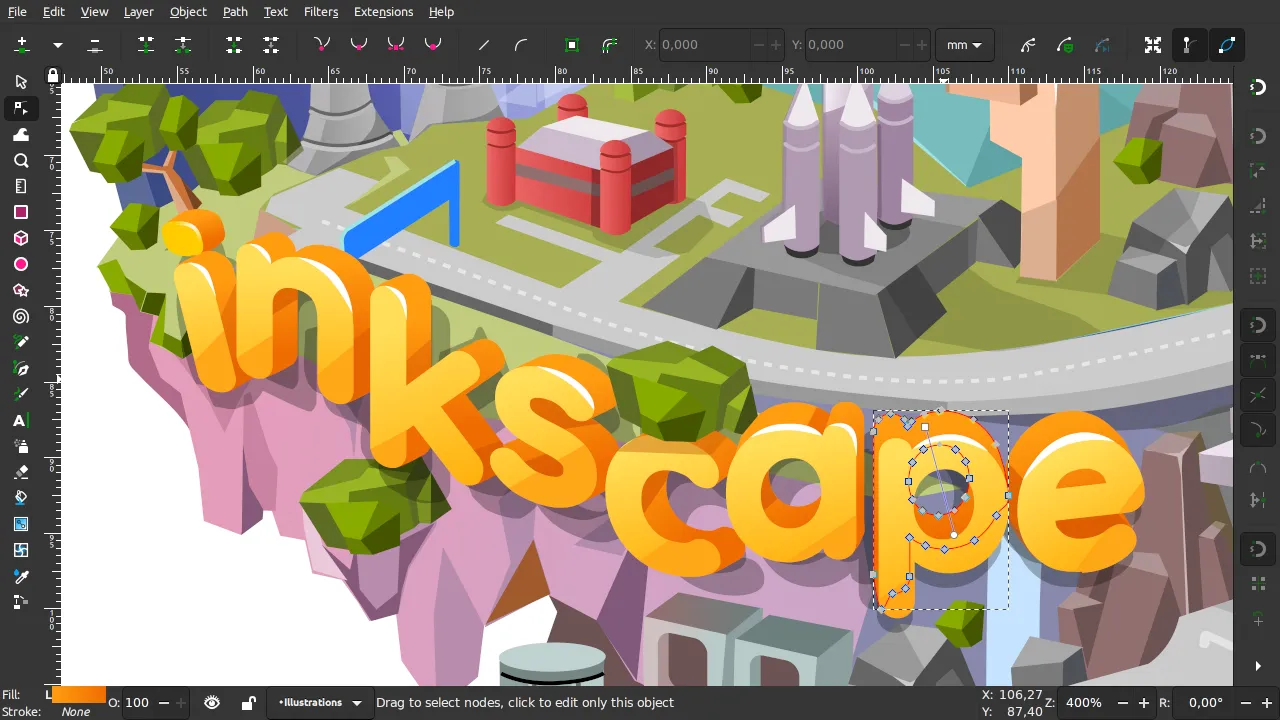
Inkscape is a free, open-source vector graphics editor built around the SVG file format. It works on Windows, macOS, and Linux, and it's maintained by volunteer developers who release updates on their own schedule. It's best for hobbyists, students, web designers, and anyone who wants professional-grade vector tools without a price tag attached.
Key Features
-
Full SVG 1.1 support; mesh gradients were already implemented in Inkscape 0.92.x, released January 2017. The current stable release is Inkscape 1.4.x with a focus on bug fixes and PDF import improvements.
-
Pen and pencil tools with Bezier and Spiro curve options, plus a calligraphy brush
-
Live Path Effects that let you apply reversible distortions and transformations to shapes
-
Built-in bitmap tracing to convert raster images into vector paths
-
Extensions written in Python, so you can automate tasks or add new export formats
Pros and Cons
Pros:
-
Completely free, with no subscription or hidden paywall
-
Active community support through forums, tutorials, and documentation
-
Regular updates that add real fixes, not just cosmetic changes
Cons:
-
Interface feels dated next to modern paid tools
-
Handles large, complex files more slowly than commercial alternatives
Pricing
Inkscape is entirely free. There's no premium tier, no trial period to worry about, and no feature locked behind a paywall. You download it once and use every tool it has.
What is CorelDRAW?
CorelDRAW Graphics Suite is a commercial design package built around vector illustration, with Corel Photo-PAINT for photo editing and a font manager thrown in. It runs on Windows and macOS, and it's aimed at working designers, print professionals, and sign and apparel businesses that need reliable, print-ready output.
Key Features
-
Native vector drawing tools built for precise print and large-format work
-
Corel Photo-PAINT included for raster image editing inside the same suite
-
AI-assisted vector tracing and image generation tools on subscription plans
-
Strong DXF and legacy file compatibility, useful for CAD and engraving work
-
CorelDRAW Web, a browser-based companion app for lighter editing on the go
Pros and Cons
Pros:
-
Built for professional print and large-format production work
-
Offers a genuine one-time purchase option instead of forcing a subscription
Cons:
-
Costs significantly more than most vector editing alternatives
-
AI tools and some newer features are subscription-only, not included in the perpetual license
Pricing
CorelDRAW Graphics Suite is available as an annual subscription for about 36.58 per month, which means $439 per year, or as a one-time license for around $859. A 15-day free trial lets you test the full suite before buying. A lower-cost CorelDRAW Standard version is also available for users who only need basic vector and layout tools.
Inkscape vs CorelDRAW: Feature-by-Feature Comparison
Ease of Use
Inkscape's interface can feel cluttered at first, especially if you're coming from nothing. Menus and dialogs are spread out, and some tools take a bit of digging to find. CorelDRAW, on the other hand, has spent decades refining its layout for working designers. Toolbars are organized around real workflows, and the docking system makes it easier to arrange your workspace the way you like.
Beginners will likely find CorelDRAW's guided onboarding smoother, though Inkscape's learning curve flattens out once you get past the first few projects.
Features & Functionality
Both apps cover the fundamentals: pen tools, shape tools, layers, and path editing. Inkscape holds its own here, especially with Live Path Effects and its Python-based extension system. CorelDRAW pulls ahead when you need production-ready output for print, engraving, or large-format signage, where its color management and prepress tools matter.
If your work leans toward web graphics, icons, or illustrations, Inkscape covers that ground well. If you're producing packaging, signage, or apparel designs professionally, CorelDRAW's toolset is built with that in mind.
Performance & Reliability
Inkscape has improved steadily with each release, and recent versions include real performance and stability fixes. Still, it can slow down on very large or layer-heavy files. CorelDRAW generally handles complex, high-resolution projects more smoothly, since it's built and tested for commercial production environments.
Neither app is bug-free, but CorelDRAW's paid support channel gives you somewhere to turn when something breaks.
Pricing
This is where the gap is widest. Inkscape costs nothing, period. CorelDRAW asks for a real financial commitment, whether that's the upfront $859 or the recurring $439 a year. For students, freelancers just starting out, or anyone testing whether vector design is even for them, Inkscape removes the risk entirely. For studios and businesses that need dependable support and print-specific tools, CorelDRAW's price is easier to justify given the revenue it helps generate.
Compatibility & Platforms
Inkscape runs on Windows, macOS, and Linux, which makes it the more flexible option if you're not on a mainstream operating system. CorelDRAW supports Windows and macOS, plus a browser-based companion through CorelDRAW Web, but it has no native Linux version. If cross-platform flexibility matters to you, Inkscape has the edge.
Comparison Table
|
Category |
Inkscape |
CorelDRAW |
|
Best For |
Beginners, hobbyists, web and SVG work |
Professional print, signage, and production design |
|
Platform |
Windows, macOS, Linux |
Windows, macOS, Web browser |
|
Price |
Free |
~$859 one-time or ~$439/year |
|
Fileion Rating |
4.3/5 |
4.5/5 |
Final Verdict
Inkscape and CorelDRAW both do their jobs well, just for different people. Inkscape is the obvious pick if you're learning vector design, working on a tight budget, or just need solid SVG tools without spending anything. CorelDRAW makes more sense if you're running a design business, producing print or large-format work, and need the reliability and support that comes with a paid product.
If you're a student, hobbyist, or freelancer testing the waters, start with Inkscape. If you're a working professional who needs production-grade tools and dedicated support, CorelDRAW is worth the investment. Try Inkscape first since it costs nothing to experiment with, then decide if CorelDRAW's extra features are worth paying for.
FAQs
Is Inkscape as good as CorelDRAW?
Inkscape covers most core vector editing needs well, but CorelDRAW offers more polish, better performance on complex files, and tools built specifically for professional print work.
Can Inkscape open CorelDRAW files?
Inkscape can open some CDR files, but complex CorelDRAW documents with advanced effects may not convert perfectly. Exporting from CorelDRAW to SVG first gives more reliable results.
Does CorelDRAW have a free version?
CorelDRAW doesn't offer a permanent free version, but it does provide a 15-day free trial so you can test the full suite before buying.
Which one is better for beginners, Inkscape or CorelDRAW?
Inkscape is often the better starting point since it's free and lets you learn vector design without financial risk. CorelDRAW's guided interface can also suit beginners who prefer more structured onboarding.
Is Inkscape completely free to use commercially?
Yes. Inkscape is released under the GPL license, and you can use it for commercial projects without paying licensing fees.


