


Do you ever need to use a specific program on a computer that isn’t yours? Maybe you’re at a friend’s house or using a public library computer. It can be a hassle to install software, especially if you don’t have administrative rights.
That’s where portable software comes in. These applications don’t need to be installed and run directly from a USB drive. However, not every USB drive is suitable. For smooth performance, it’s best to use a drive with at least 8–16 GB of storage and USB 3.0 or higher for faster read/write speeds.
You can carry your essential tools, games, or media players wherever you go. This guide will show you some of the best portable software available for USB drives, hand-picked for a variety of needs — from managing portable apps to creating a bootable OS.
Let’s look into the top 5 portable tools you can take with you everywhere.
Must-Have Portable Tools to Carry on Your USB Stick
1. PortableApps.com
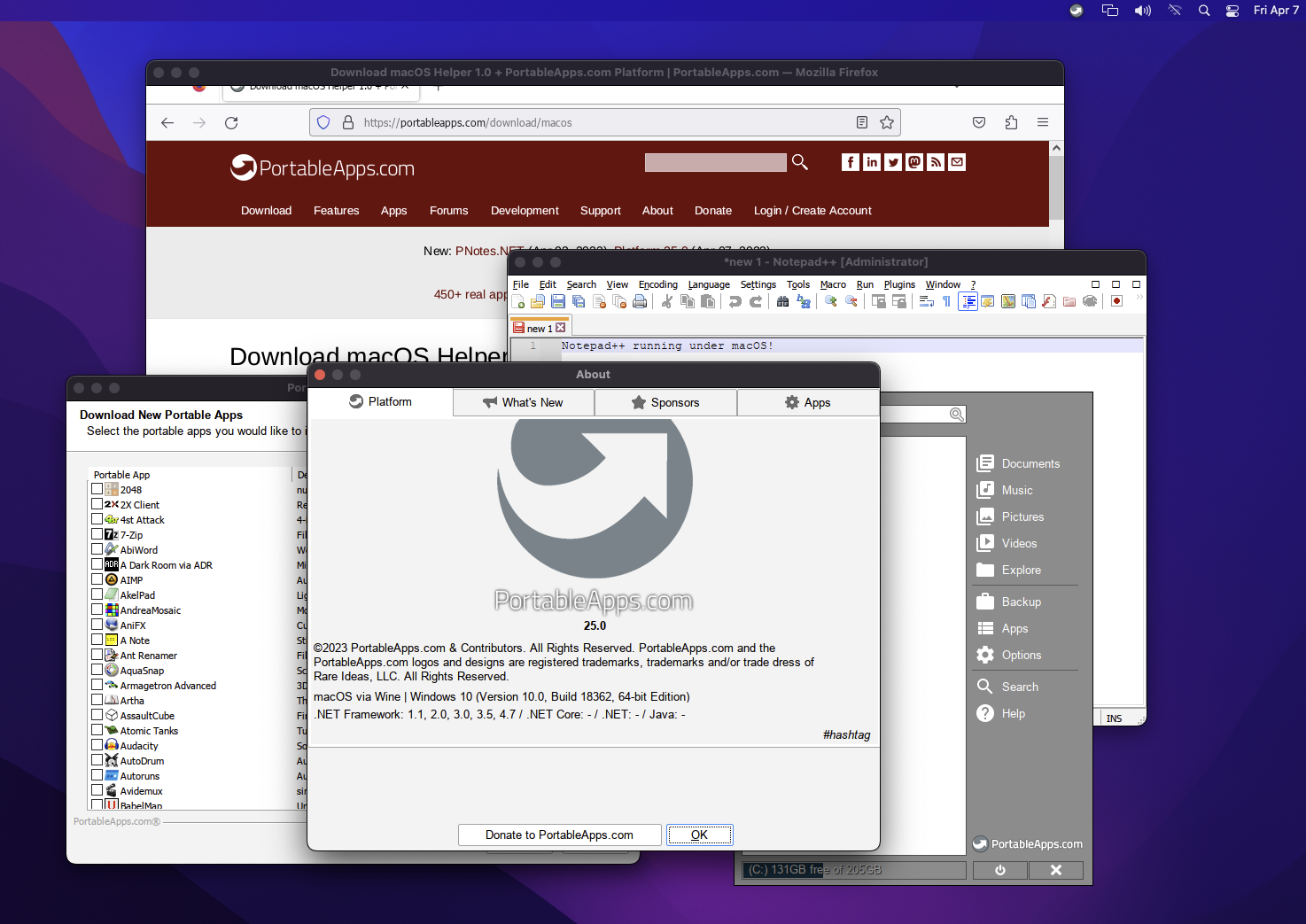
PortableApps.com is a platform that lets you carry a full suite of applications on your USB drive. It provides a simple menu system that organizes and launches your programs, so you don't have to go digging through folders.
It's an entire ecosystem of software that you can use on any PC without leaving a trace. It's ideal for anyone who wants a complete, organized, and ready-to-use software collection on the go.
Key Features
-
Centralized App Management: The PortableApps.com platform provides a user-friendly menu to browse, install, and update your apps.
-
Large Software Library: Access over 500 free and open-source applications, including web browsers, office suites, and security tools.
-
True Portability: All apps are designed to run without needing to be installed on the host computer or writing to the Windows Registry.
-
Cloud Compatibility: You can use it with cloud storage services like Dropbox or Google Drive to sync your portable apps across multiple devices.
Ratings
-
SourceForge: 4.9/5
-
Sitejabber: 5/5
Pros & Cons
Pros
-
Extensive library of pre-packaged, ready-to-use apps.
-
Offers a simple, unified interface for all your portable software.
-
The platform is free and open-source, with no hidden costs.
-
Keeps all app settings and data on the USB drive.
Cons
-
Some older apps may not be updated as frequently.
-
The platform itself takes up some storage space on the USB drive.
Pricing
PortableApps.com is a completely free and open-source platform. There are no paid plans or subscription fees.
How the Fileion Team Analyzed and Picked This Tool
We chose this tool based on its comprehensive platform approach, which simplifies the entire process of managing and using portable applications.
2. VLC Media Player Portable

VLC Media Player Portable is a portable version of the popular, all-in-one media player. It plays almost any video or audio format without needing extra codecs. The portable version works just like the regular one, but you can run it from a USB drive without any installation.
This is a must-have for anyone who wants to watch movies or listen to music on different computers without worrying about file compatibility.
Key Features
-
Wide Format Support: Plays virtually any media format, including video, audio, discs, and streaming protocols.
-
No Codec Packs Needed: It has all the necessary codecs built in
-
Advanced Playback Controls: Offers features like subtitle synchronization, video and audio effects, and customizable playback speed.
-
Cross-Platform Availability: It is available on Windows, macOS, and Linux.
Ratings
-
CNET: 4.3/5
-
Microsoft Store: 4.6/5
Pros & Cons
Pros
-
Completely free, with no ads or spyware.
-
Highly versatile, playing almost any media file you can find.
-
The portable version saves all your settings and history on the USB drive.
-
Its lightweight nature ensures smooth performance on most systems.
Cons
-
The interface can look a bit outdated.
-
Advanced settings can be overwhelming for new users.
Pricing
VLC Media Player Portable is free of charge.
How the Fileion Team Analyzed and Picked This Tool
This tool was selected for its universal compatibility and robust feature set, making it the best portable media player for any user.
3. Rufus
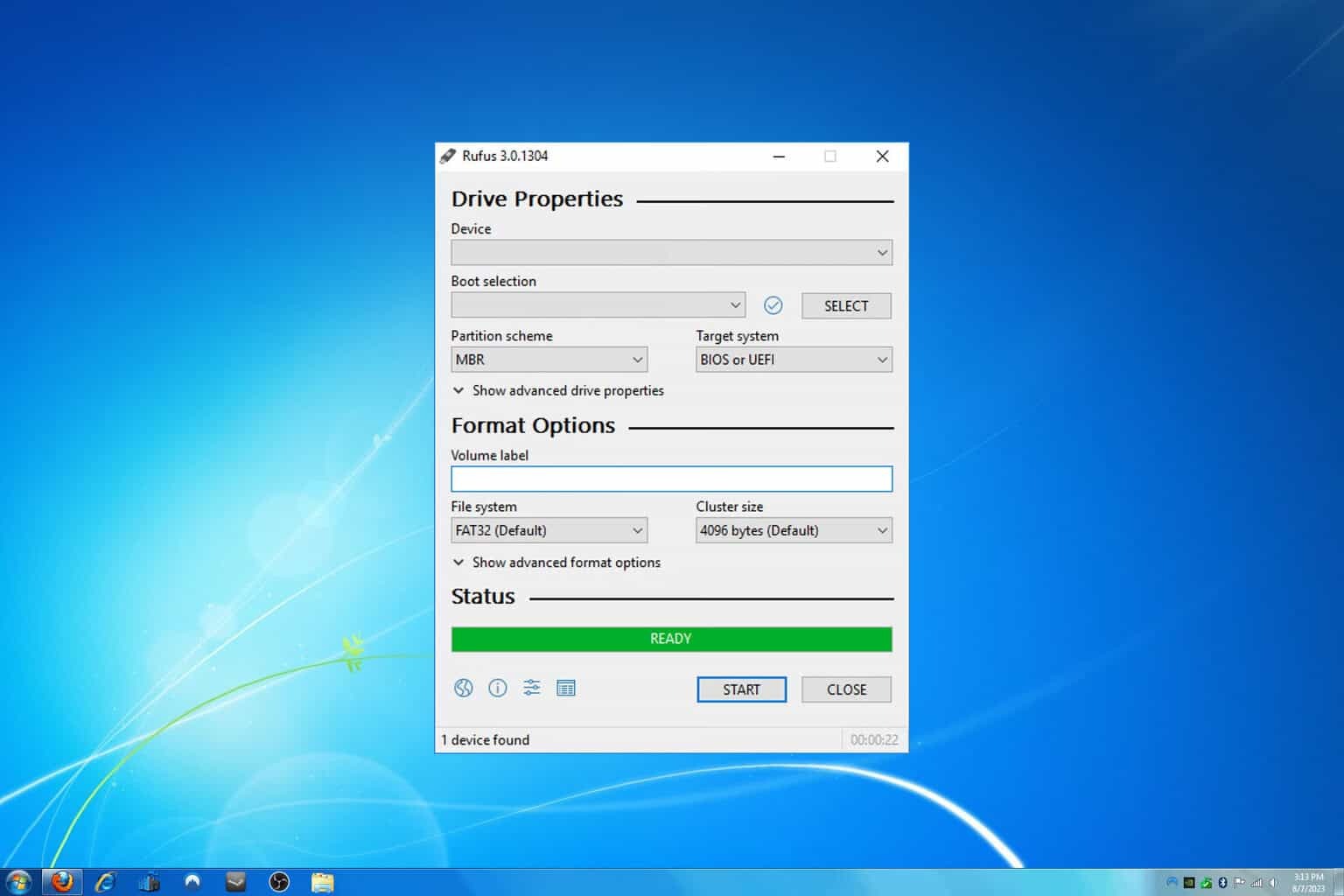
Rufus is a small but powerful utility for creating bootable USB drives. It's designed for a single purpose: taking an ISO file, like a Windows or Linux operating system installer, and writing it on a USB stick.
The tool makes the process incredibly fast and straightforward, with a clean interface. It's an essential tool for anyone who needs to install or repair a computer's operating system.
Key Features
-
Bootable USB Creation: It creates a bootable USB from ISO files for a variety of operating systems.
-
Supports Multiple Partitions: Rufus can create persistent partitions for Linux, allowing you to save changes on your live USB.
-
Advanced Formatting: It offers various formatting options, including FAT32, NTFS, UDF, and exFAT.
-
Windows To Go Support: It can create a "Windows To Go" drive, allowing you to run a full version of Windows from a USB.
Ratings
-
Microsoft Store: 4.6/5
-
Source Forge: 4.9/5
Pros & Cons
Pros
-
Extremely fast and efficient at creating bootable drives.
-
The user interface is simple and easy to understand.
-
The application is very lightweight and does not require installation.
-
It is completely free and open-source.
Cons
-
Does not support multiboot, which means you can only have one OS on a single drive.
-
Its primary function is limited to creating bootable drives from ISO files.
Pricing
Rufus is completely free and open-source.
How the Fileion Team Analyzed and Picked This Tool
We included this tool due to its exceptional performance and single-purpose efficiency, making it the top choice for creating bootable USB drives.
4. WinToUSB
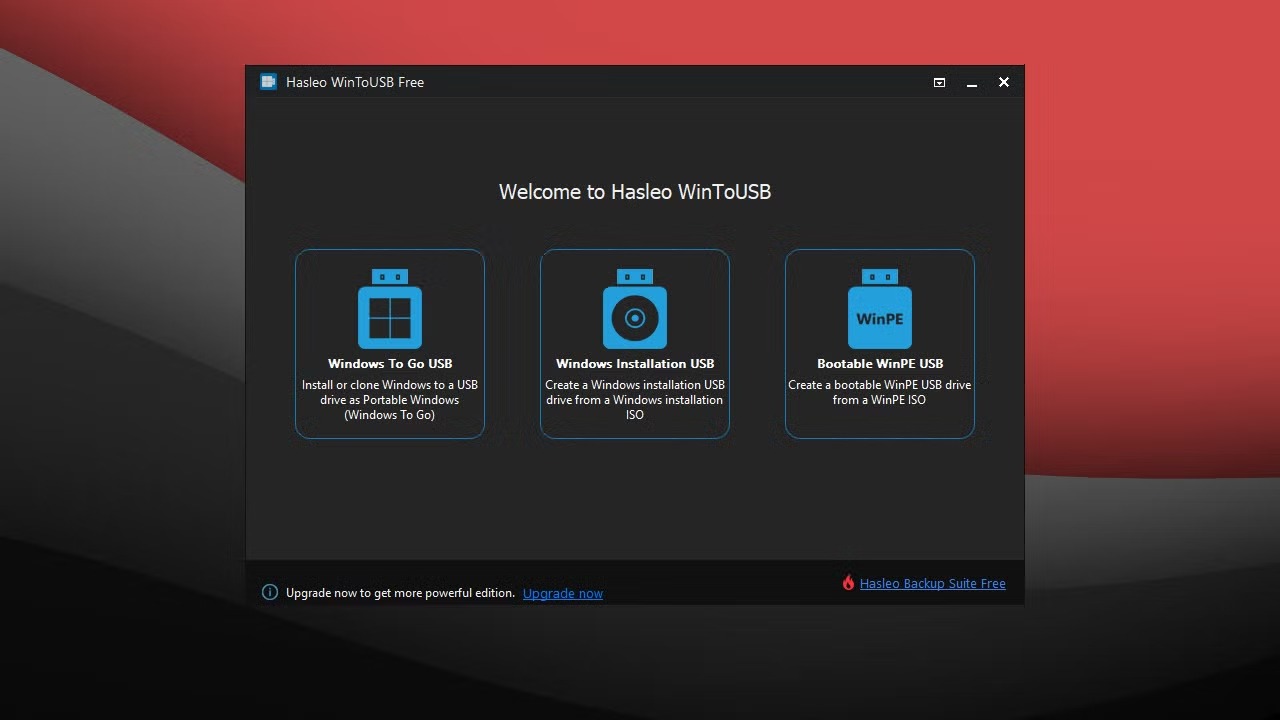
WinToUSB is a powerful tool for installing and running a full version of the Windows operating system on an external hard drive or USB flash drive. This allows you to have your own personal, portable Windows environment that you can boot from any computer.
It's a lifesaver for IT professionals, developers, or anyone who needs to carry a consistent working environment with them.
Key Features
-
Windows To Go Creation: Easily create a bootable Windows drive from an ISO file.
-
Windows Installation: It allows you to install Windows to an external drive from a CD/DVD or an ISO image.
-
Hot Clone: The paid version offers a "Hot Clone" feature to duplicate an existing Windows installation without a system restart.
-
VHD/VHDX Support: It can create a Windows To Go workspace on a virtual hard disk.
Ratings
Pros & Cons
Pros
-
Enables a fully portable Windows operating system.
-
Supports both Windows and Windows Server editions.
-
The free version provides the essential features for creating a basic Windows To Go drive.
-
The user interface is intuitive and guides you through the process.
Cons
-
The free version has some limitations, such as not supporting certain Windows editions.
-
Advanced features like "Hot Clone" are locked behind a paid license.
-
Performance may vary depending on the speed of the USB drive.
Pricing
WinToUSB offers a free version with basic features, including creating Windows To Go from ISO, WIM, ESD, and VHD files and making Windows installation USB drives.
Advanced features like cloning a running Windows OS, updating Windows To Go with Delta Clone, BitLocker encryption, partition resizing, and faster cloning require the Professional Edition. The Professional Edition starts at $29.95 for a single user covering 2 PCs with free lifetime upgrades.
The Enterprise Edition supports unlimited PCs, Windows Server editions, and site licensing. Enterprise pricing ranges from $199.95 to $299.95 and includes free lifetime upgrades.
How the Fileion Team Analyzed and Picked This Tool
We chose WinToUSB for its unique ability to create a completely portable Windows environment, a powerful feature that few other tools provide.
5. ClamWin Antivirus Portable
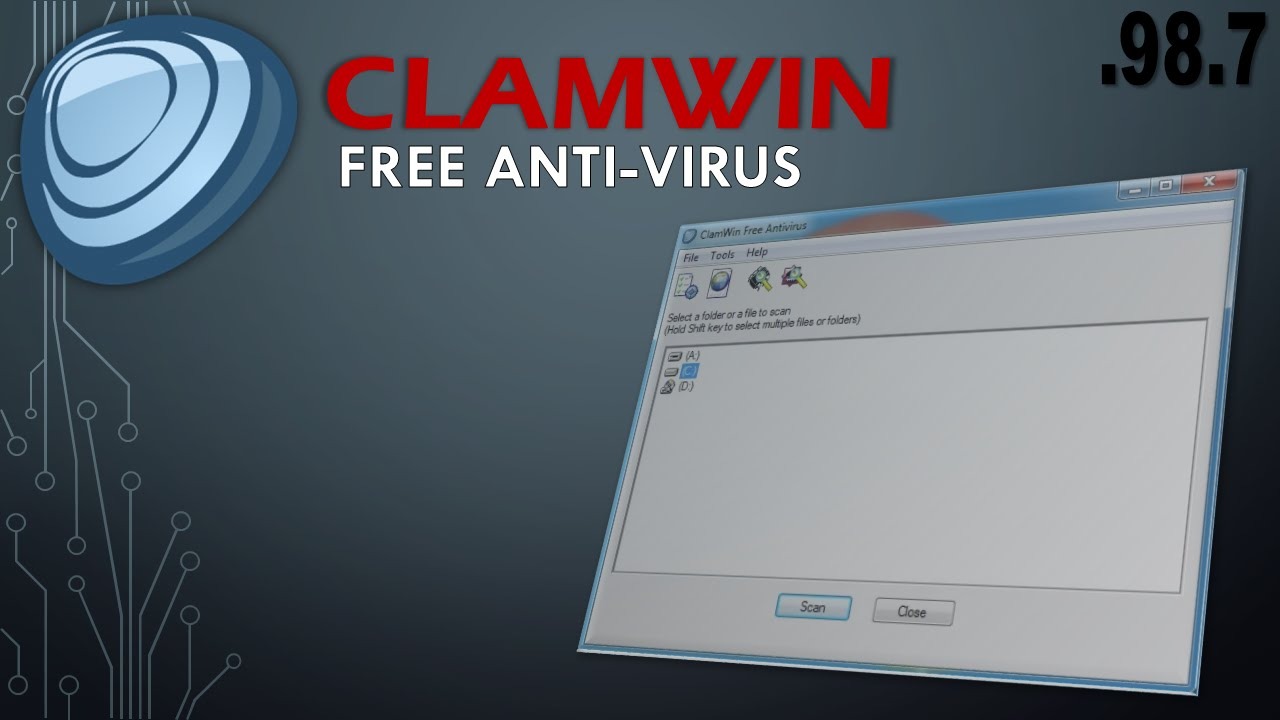
ClamWin Antivirus Portable is a free antivirus scanner that you can run directly from a USB stick. It's a great tool to have when you're using a public or shared computer and want to quickly check files for viruses or malware.
It doesn’t offer real-time protection, but it can be a lifesaver for on-demand scanning. This tool is perfect for users who need a quick and simple way to scan for threats without installing a full antivirus suite.
Key Features
-
On-Demand Scanning: It performs a full scan of files and folders on your computer, but it does not run in the background.
-
Virus Database Updates: The virus database is updated regularly to ensure it can detect the latest threats.
-
Explorer and Outlook Integration: You can scan files directly from the Windows Explorer context menu and check attachments in Microsoft Outlook.
-
Scheduled Scans: It allows you to set up scheduled scans to run at a specific time.
Ratings
-
CNET: 3.7/5
-
Safety Detective: 8.7/10
Pros & Cons
Pros
-
Completely free and open-source.
-
Provides a quick and easy way to perform a manual scan.
-
Its portability makes it ideal for use on public or shared computers.
-
Lightweight and doesn't require a lot of system resources.
Cons
-
Lacks real-time protection, so it cannot stop infections as they happen.
-
Scan speeds can be very slow, especially for a full system scan.
-
The user interface feels quite dated.
Pricing
ClamWin Antivirus Portable is completely free.
How the Fileion Team Analyzed and Picked This Tool
This tool was selected for its specific use case as a portable, on-demand antivirus scanner, which fills an important niche for security on the go.
Comparison Table
|
Software |
Best For |
Platform |
Price |
Fileion Rating |
|
PortableApps.com |
Managing a full suite of portable apps |
Windows |
Free |
4.8/5 |
|
VLC Media Player Portable |
Playing almost any media file on the go |
Windows, macOS, Linux |
Free |
4.7/5 |
|
Rufus |
Creating bootable USB drives from ISO files |
Windows |
Free |
4.6/5 |
|
WinToUSB |
Running a full Windows OS from a USB drive |
Windows |
Free & Paid |
4.1/5 |
|
ClamWin Antivirus Portable |
On-demand virus scanning on any PC |
Windows |
Free |
3.9/5 |
Final Verdict
Best for all-in-one portable apps is PortableApps.com, a full platform that makes carrying multiple tools effortless.
Best for bootable USB creation is Rufus, known for its speed and simplicity when installing operating systems.
Best for portable media playback is VLC Media Player Portable, which can handle virtually any audio or video format.
Best for IT professionals is WinToUSB, perfect for creating a portable Windows environment, though its advanced features require a paid plan.
Best for on-the-go antivirus protection is ClamWin Antivirus Portable, a lightweight security tool you can carry on your USB drive for quick malware scanning
FAQ
Q1: What is the best free portable software for a USB drive?
Ans: The "best" free portable software depends on your needs. For a full app suite, PortableApps.com is excellent. For creating bootable drives, Rufus is unmatched. If you want to play media files, VLC Media Player Portable is the top choice.
Q2: Is Rufus better than WinToUSB?
Ans: Rufus and WinToUSB serve different purposes. Rufus is better for creating a simple bootable USB to install an OS. WinToUSB is designed for a more advanced use case, allowing you to run a full, persistent Windows operating system from the USB drive itself.
Q3: Which portable software is the most secure?
Ans: For security, ClamWin Antivirus Portable is a reliable option for on-demand scanning. However, since it doesn't offer real-time protection, you should always use it in combination with a full-featured, installed antivirus on your main computer.
Q4: What should I look for in a portable software?
Ans: When choosing portable software, look for tools that are truly portable, meaning they don't leave traces on the host computer. They should also be lightweight, efficient, and well-supported with frequent updates. Look for an official portable version to ensure it works correctly.


